Exporting Dives from Cressi
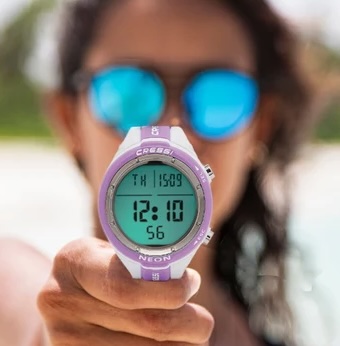
Cressi dive computers store your dives on the computer itself. To get them into DiveHub you need a UDDF file, an open dive log format that DiveHub can import.
Cressi's own Interface (PC Interface) software exports a .txt file only, and DiveHub can't import that. Instead, use Subsurface, a free, open source dive log program for Windows, macOS and Linux. Subsurface downloads the dives from your Cressi computer and exports them as UDDF.
Which Cressi computers can I export from?
Subsurface can download dives from these Cressi dive computers:
| Family | Models | Connection |
|---|---|---|
| Edy | Archimede, Edy | Infrared interface (serial) |
| Leonardo | Leonardo, Giotto, Newton, Drake | Infrared interface (serial) |
| Goa | Cartesio, Goa, Leonardo 2.0, Donatello, Michelangelo, Raffaello, Neon, Nepto | USB (serial) or Bluetooth LE |
Cressi sells the interfaces separately: a PC interface for Leonardo-era computers (infrared) and a Bluetooth interface for the Cartesio, Goa and Neon.
Step 1: Download your dives with Subsurface
- Download and install Subsurface.
- Connect your dive computer with its interface, or pair it over Bluetooth if it supports it.
- Open File, then Import, then Import from dive computer.
- Choose Cressi as the vendor and your model as the dive computer, then select Download.
- When the dives appear in the Subsurface dive list, open File, then Export, choose UDDF and save the file.
Step 2: Import into DiveHub
These steps describe the DiveHub web app, whose controls are labelled in English. In the mobile app, choose the import option when you add a dive.
- Open DiveHub and select Add dive to open the Log a dive page.
- Switch the toggle from Manual to Import Dive Computer, then under Computer log file choose your
.uddffile. - Choose the Dive site, enter the dive's date and start time, and fill in any other details you want to record.
- Select Save dive.
DiveHub imports one dive at a time. Repeat the steps for each dive you want to bring across. See Importing Dives for more detail and UDDF Format for what the format contains.
Troubleshooting
Can I import the .txt file from Cressi's Interface software? No. It has no published format, so DiveHub can't read it. Download your dives with Subsurface instead.
My Cressi computer isn't listed in Subsurface. Try the closest model in the same range, then check the import for missing dives. Newer computers are added to Subsurface as support for them is released.
Subsurface can't find my computer. Check that the interface is connected, or that the computer is paired over Bluetooth, and that the computer is in its transfer mode, as described in your Cressi manual.
The dive imported with the wrong units. Check your unit preference in Account Settings.